Print Shop Equipment List, From Prepress to Cutting, Lamination and Binding
We walk through the print shop workflow in order and explain which prepress, printing, cutting, lamination and binding machines you need, with sample equipment lists for commercial, label and book printing.
In this article · 10 sections
- Where does a print shop equipment list start?
- Which machines does prepress need?
- Where does the printing press fit in the workflow?
- Which machines are needed for post-press cutting?
- How do you choose a laminating machine?
- Which binding machine suits which product?
- How can the equipment list be summarised by type of work?
- Should you buy new or used print shop machinery?
- How does the printing machine brand affect setting up a print shop?
- Frequently Asked Questions
A print shop's equipment list is much more than a printing press. Work starts in prepress, where the plate or image carrier is made, and ends after printing with cutting, lamination and binding. This guide walks through the workflow in order and explains which machines each department needs for commercial print, labels and packaging, and books and magazines.
Where does a print shop equipment list start?
The first question is what you will print. Commercial work such as brochures, catalogues and business cards is sheet-fed and cutting-heavy. Labels and flexible packaging run reel to reel and need slitting. Books and magazines make a bindery essential. Once the work is clear, departments and machines fall into place.
This guide covers the prepress machine, printing machine, paper cutting machine, print lamination machine and bookbinding machine categories as one workflow. For a detailed comparison of printing methods, see our guide to specialty printing methods; here the aim is to show how departments connect and which machines should not be left out.
Which machines does prepress need?
Prepress turns the digital file into the image carrier the press will use. In offset this is a metal plate, in flexo a flexible plate, in rotogravure an engraved cylinder and in screen printing an exposed screen. Prepress equipment follows the printing method you choose; with digital printing this department largely disappears.
- For offset, a CTP platesetter images the file directly onto the plate. Depending on plate type, a plate processor may be needed; processless plates simplify this step. A plate bending and punching machine prepares the plate for the press cylinder and directly affects registration accuracy.
- For flexo, a flexo plate making machine exposes, washes and dries photopolymer plates. Small businesses may find buying plates in more economical.
- For rotogravure, a gravure cylinder engraving machine is a major investment and usually sits with specialist cylinder makers.
- For screen printing, a screen stretching machine tensions mesh evenly on the frame, and a screen exposure unit transfers the image to the emulsion-coated screen.
Where does the printing press fit in the workflow?
The press is the heart of a print shop, but it is not chosen in isolation. It decides what prepress you need, which sheet or reel sizes you work with and which cutting and lamination machines follow. That is why the press should be planned together with the departments before and after it.
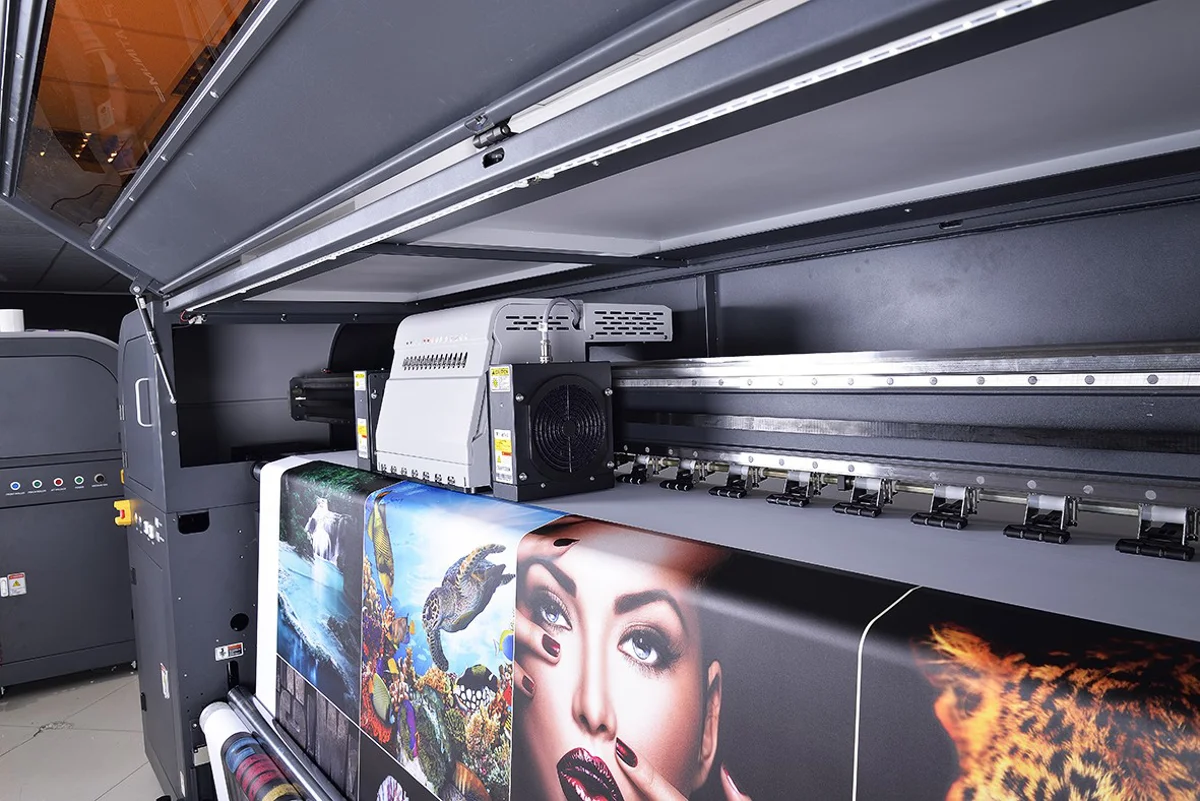
An offset printing machine lowers unit cost on long commercial runs and works with CTP. A flexo printing machine runs reel to reel for labels and flexible packaging and needs platemaking and slitting. A digital printing machine needs no plates and delivers short, personalised runs quickly. Many shops run offset and digital side by side to split short and long runs.
Which machines are needed for post-press cutting?
Sheet-fed work relies on guillotines and die cutters. Reel-fed label and packaging printing also needs reels split into narrow widths and labels cut to shape. For short and frequently changing jobs, digital cutters that work without dies are increasingly common because they remove tooling cost entirely.
A reel cutting machine cuts large paper or film reels into the required sizes and is also used to prepare stock before printing. A label and sticker cutting machine cuts printed labels to shape and strips the waste matrix. A digital cutter follows the file contour with a knife or laser and is ideal for samples, box prototypes and short label runs. We covered sheet-fed guillotines and die cutters in our specialty printing article.
How do you choose a laminating machine?
Lamination protects the printed surface and gives it a gloss or matt finish. Job volume and product type decide the machine. Book covers, catalogues and packaging boxes call for reel film lamination in volume, while menus, ID cards and small runs can be handled with pouch or press lamination.
- A film laminating machine applies film to printed sheets and is the most common type in print shops. Automatic feeding and sheet separation set capacity on volume work.
- A roll laminator applies film roll to roll on wide format prints and posters.
- A liquid laminator applies a liquid protective coat instead of film and is used on wide format and outdoor prints.
- A laminating press bonds layers in cards and plastic products with heat and pressure, while a pouch laminator is for small office and stationery jobs.
Which binding machine suits which product?
The bindery turns printed sheets into books, magazines, catalogues or notebooks. Sheets are first folded and gathered in order, then joined by saddle stitching, adhesive binding, thread sewing or spiral depending on the product. The binding styles you offer directly decide the machine list for this department.
A folding machine folds sheets into signatures and a gathering machine collects them in the right order. Magazines and brochures use a saddle stitcher, while catalogues and softcover books use a perfect binder. For durable books, signatures are first sewn on a book sewing machine, and hardcover cases are made on a hardcover case making machine. Office and short-run work can rely on a spiral binding machine and a thermal binding machine. At high volumes a complete binding line combines these steps.
How can the equipment list be summarised by type of work?
The table below shows the core machines per department for three typical print shop profiles. Every business differs in run length, product mix and outsourced services, so treat the list as a starting point rather than a rule. Outsourcing platemaking, lamination or binding can noticeably reduce the initial investment.
| Department | Commercial print | Labels and packaging | Books and magazines |
|---|---|---|---|
| Prepress | CTP, plate processor | Flexo platemaking | CTP, plate bending |
| Printing | Offset, digital | Flexo, digital | Offset, digital |
| Cutting | Guillotine, die cutter | Label cutter, slitter | Guillotine, three-knife trimmer |
| Lamination | Film laminator | Roll laminator | Film laminator |
| Binding | Folding, saddle stitching | Not needed | Gathering, perfect binding, book sewing |
Should you buy new or used print shop machinery?
Printing machinery changes hands a lot and a well-maintained machine can run for many years. In prepress and digital equipment, however, software, licences and service support are decisive; an unsupported CTP or digital press may be cheap but puts the business at risk. For mechanical machines, operating hours and maintenance history matter most.
- For CTP and digital machines, software version, licence transfer and service contract availability.
- On presses, the impression counter, cylinder surfaces and registration accuracy; ask for a test print.
- On cutting machines, the knife, die bed and safety equipment.
- On binding machines, the glue tank, heaters and format range.
A common approach for a new print shop is to buy the press used and the prepress software and digital equipment new with support. Outsourcing part of lamination and binding at the start also balances the initial investment.
How does the printing machine brand affect setting up a print shop?
When setting up a print shop, the brand of the printing machine shapes not just the machine but consumables, colour management software and the service plan. Availability of ink, toner, print heads and spares, and how quickly technical service can arrive, keep the workflow running smoothly in the first years.
Buyers who want to compare one manufacturer's models can check Wit-color printing machines. When choosing, weigh print width, supported media and ink type together with the cutting and laminating machines you plan to install.
Frequently Asked Questions
Can you start a print shop with a digital press?
A shop focused on short, personalised runs can start with digital printing and needs almost no prepress. For long runs, offset offers a unit cost advantage.
Should I make my own flexo plates?
With low plate volume, buying plates in is usually more economical. Label printers with frequent, urgent plate needs shorten lead times with their own platemaking machine.
What is the difference between perfect binding and saddle stitching?
Saddle stitching fastens folded signatures with wire through the spine and suits thin magazines and brochures. Perfect binding glues the spine of the signatures into a cover and is used for thicker catalogues and books.